A private personal assistant

Haldra keeps the moving pieces in one place.

My projects, mail, calendar, notes and reminders, and a voice that puts coding agents to work, all answering to one person.

I’m Mitch Dominici, the developer behind Wild Kahuna. Haldra is the personal assistant I built for my own working life. It runs on my own hardware, keeps its own records, and is not a product: there is no signup and nothing here to buy.

The Haldra mark: a gold flame curling inside a crescent.
The Haldra mark
Owner
Me, and no one else
Where it runs
My own hardware and database
Where it lives
An Android app on my folding phone
Since
Autumn 2026, replacing earlier trackers

Why I built it

The pieces were everywhere. The assistant had to be mine.

Running a one-person software business means the same week holds client projects, repositories, my own apps, follow-up emails, the reminders that keep all of it honest, and lately several coding agents working at once.

Each of those lived in a different tool, and none of them knew about the others. A work item did not know which conversation decided it. An agent session did not know which work item it served. A reminder did not know which project it belonged to.

Haldra is my answer: a single system of record for the work, with an assistant on top that can read it, talk about it and put agents to work on it. It replaced an earlier project tracker, and it is where my projects, repositories, work items and notes now live. It is private by design. I am its only user, I operate it myself, and connecting an account to it never makes anything public.

Not an app for everyone. One assistant, built carefully, for exactly one person.
Meet Solaire

A voice that knows where everything is.

Solaire is how I use Haldra when my hands are busy. I call her from the phone, talk the way I would talk to a person, and she answers out loud from Haldra’s own records: the work, the mail, the calendar, the sessions. Longer jobs keep running after she replies, and she tells me when they finish.

She is not a chatbot bolted onto a voice. The voice service only does the talking. Every answer is produced by Haldra, with Haldra’s tools, against my data.

  • Live conversationReal-time speech recognition with natural turn-taking. I can interrupt her mid-sentence.
  • Her own brainEvery reply comes from Haldra’s context and tools, never from a generic model with no memory of my work.
  • Puts agents to workShe starts and steers Claude Code and Codex sessions on my repositories and reports each finished turn back.
  • Keeps talkingSlow turns finish on their own; the saved reply is read back the moment it is ready.
  • Reads aloudReminders, notices, nudges and recaps go through a spoken queue, so I can hear them without looking.
  • “Where are we?”A recap of every active session from the records alone: last reply, what it waits on, how long. Spoken if I ask.
  • Her own follow-upsNudges raised without a model turn, each with three answers: go ahead, keep going, read it to me.
  • Write insteadA text composer for the moments when quiet is better than talking.
  • Mine to tunePersonality and voice preferences I edit, and a model and reasoning level chosen per conversation.
  • Hands-freeWake, sleep, mute and talk shortcuts from the launcher and the home-screen widget.

Agents, directed

Coding agents that report back.

Claude Code and Codex run on my repositories as sessions Haldra owns. Solaire or I start them, each session belongs to a project and a work item, and every finished turn comes back as a report I can read or hear.

Nothing risky happens on its own. Tool permissions, work starts and production deployments all wait for me.

  • RoutingSolaire picks the runtime and model per task, and every choice is recorded with how it went, so routing can be tuned.
  • Work startsQueued starts I approve, schedule for later or cancel, with the runtime and repository chosen up front.
  • Permission promptsWhen a session needs a tool approval, it waits for my answer on the phone, for as long as I configure.
  • DeploymentsProduction releases wait for an explicit approval behind a password gate. This site shipped that way.
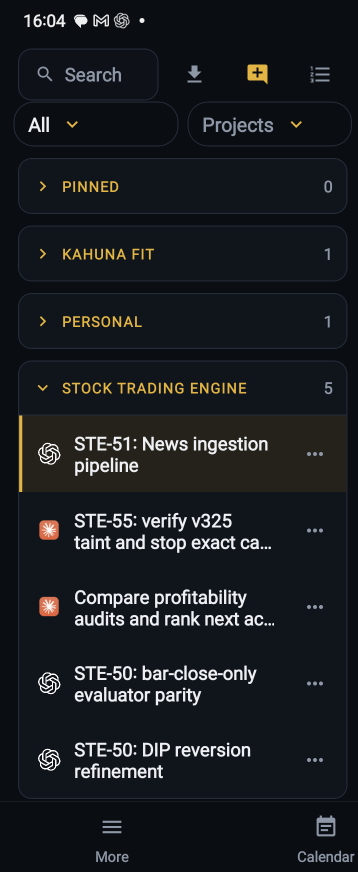
  • Sessions by projectGrouped, pinned and searchable, with the transcript beside the list on the unfolded phone.
  • ReportsEach turn’s report lands on the work item and in the conversation that started it, and Solaire reads it to me.
The Sessions list on the phone: pinned sessions, then sessions grouped by project, each row showing its runtime icon and title.
Sessions, grouped by project. Real screen.

What’s inside

Everything else it keeps for me.

All of it is in the running application today. Nothing here describes a plan.

  • Projects and work

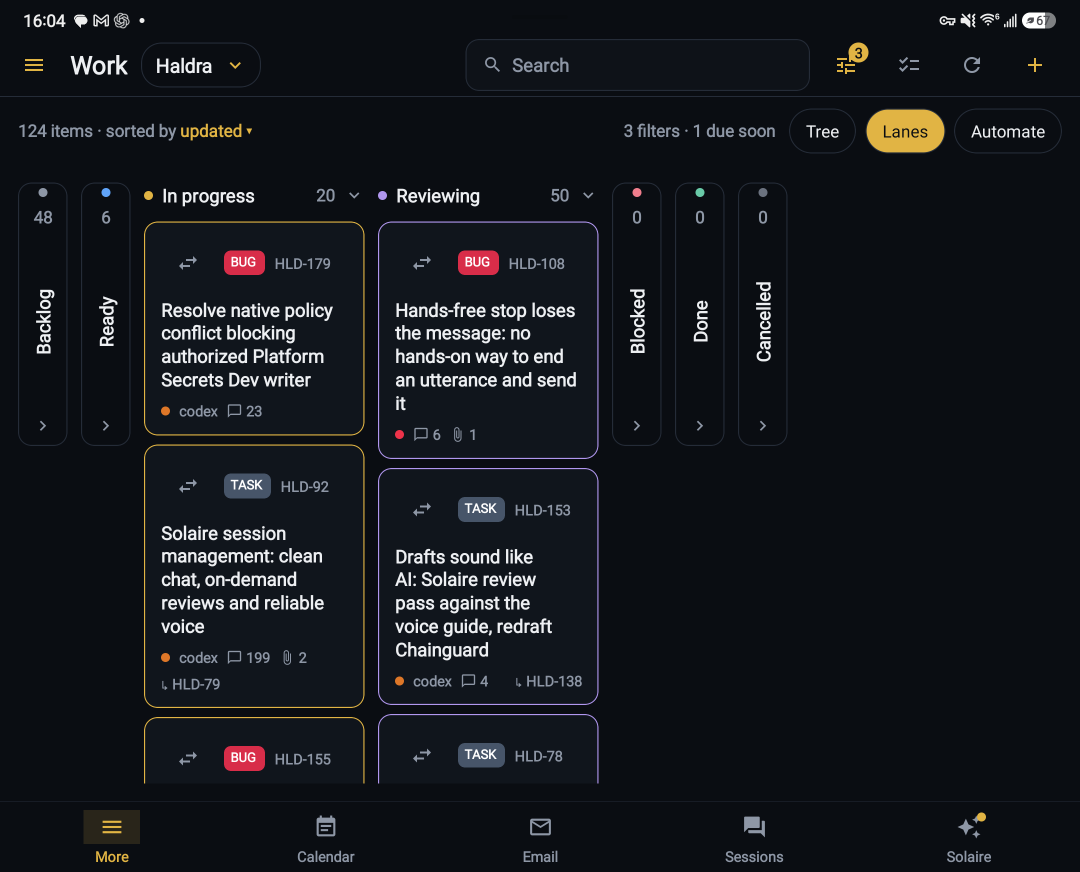
    Every project has a board, as lanes or a tree. Every work item has a key, a status, a parent, comments, history, attachments and the documents that explain it.

    • Items carry their own decisions and evidence
    • Relationships link items across projects and repositories
    • Agent sessions attach to the item they are working on
  • Searchable knowledge

    One search across code, conversations, agent sessions, work items, documents and remembered guidance, combining full-text and vector retrieval.

    • Notes and documents are versioned and indexed as they change
    • Memories hold decisions; a newer one supersedes the old
    • Answers cite the records they came from
  • Email, triaged

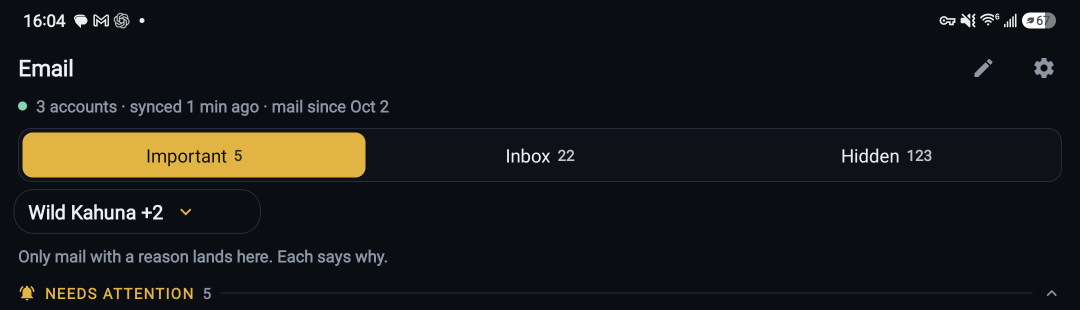
    Three accounts in one place, sorted into Important, Inbox and Hidden. Only mail with a reason lands in Important, and each one says why.

    • Watch words and expected senders raise the flag
    • Follow-ups track what I am waiting on
    • Drafts and replies are sent only when I say so
  • Calendar

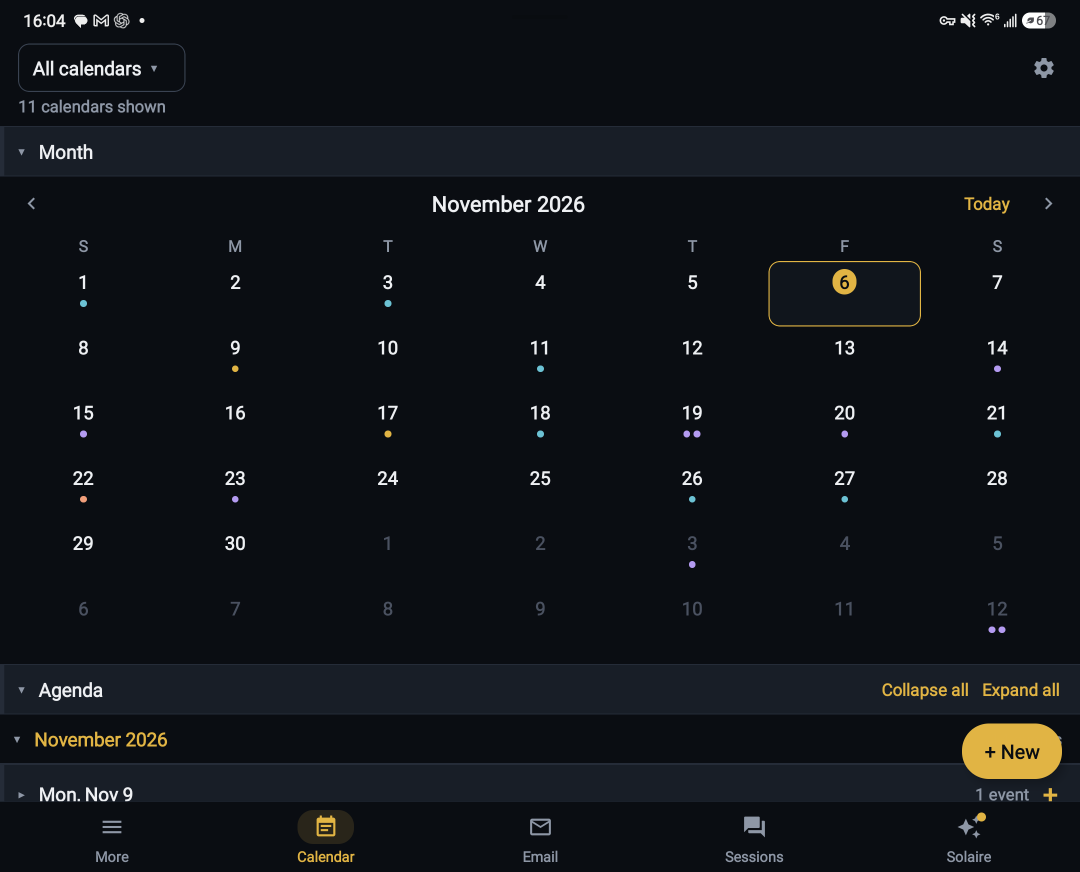
    Every Google calendar I own in one month view, with the agenda underneath and the same permissions model as email.

    • Agenda for any date range
    • Add, edit and cancel events; timed, all-day or untimed
    • Busy, tentative and reminder states
  • Reminders

    Set in the app or by voice, delivered to the phone as notifications, and kept until they are done.

    • Snooze, reschedule, rename, dismiss and restore
    • Ad hoc reminders from a conversation
    • A home-screen widget for the next one
  • Notes

    Notes by project and category, pinned when they matter, written in a rich editor with attachments, and indexed for search like everything else.

    • Pinned, personal and project notes side by side
    • Images and files attached in place
    • List and editor together on the unfolded screen
  • Files

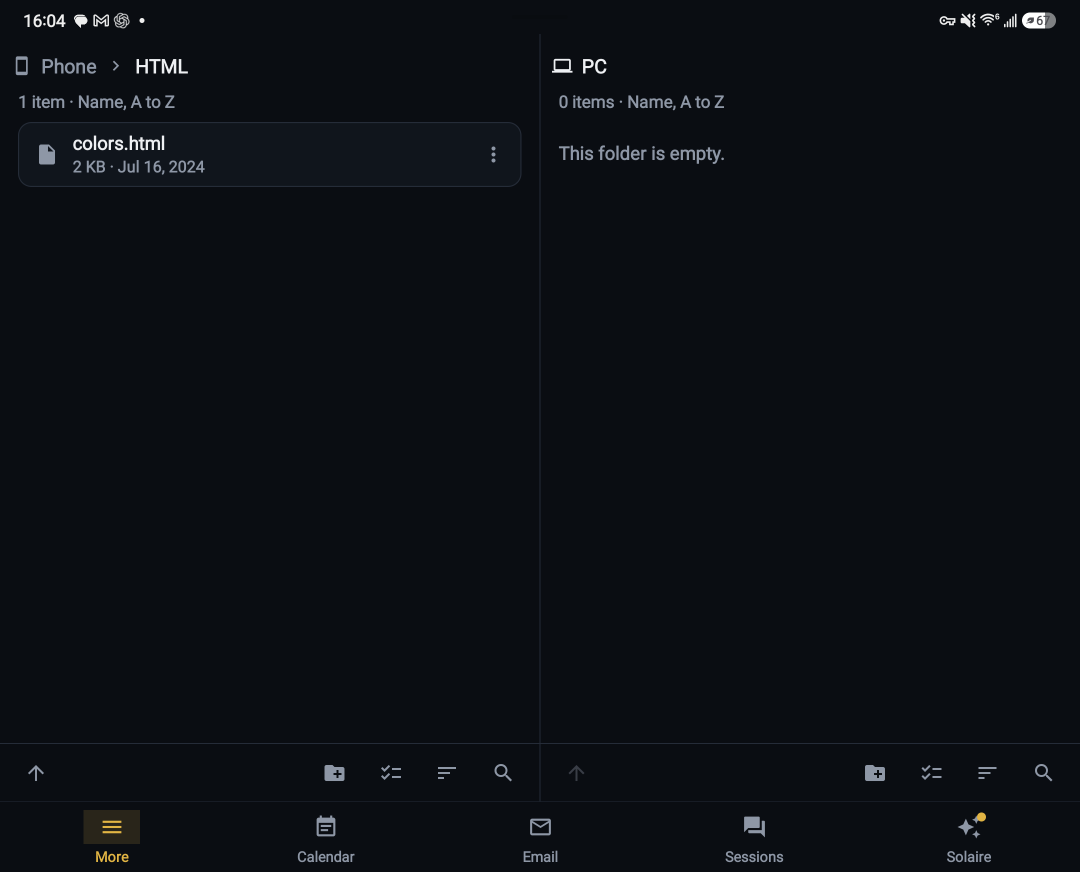
    The phone’s shared storage and my PC in two panes, so moving a file between them is a drag rather than a cloud round-trip.

    • Sort, group, select and search in each pane
    • Copy or move between phone and PC
    • Open anything in its own viewer
  • Notifications and widgets

    Every report, nudge, mail conversation and finished job in one list on the phone, with widgets and launcher shortcuts for the things I reach for most.

    • Push delivery through Haldra, not a third-party inbox
    • Home-screen widgets for capture and approvals
    • Deep links so a tap opens the right screen
  • Morning briefing

    A briefing over the projects I choose, and record-based follow-ups through the day. It suggests; it never executes on its own.

    • Owner-selected projects only
    • Follow-ups drawn from the records, not guesses
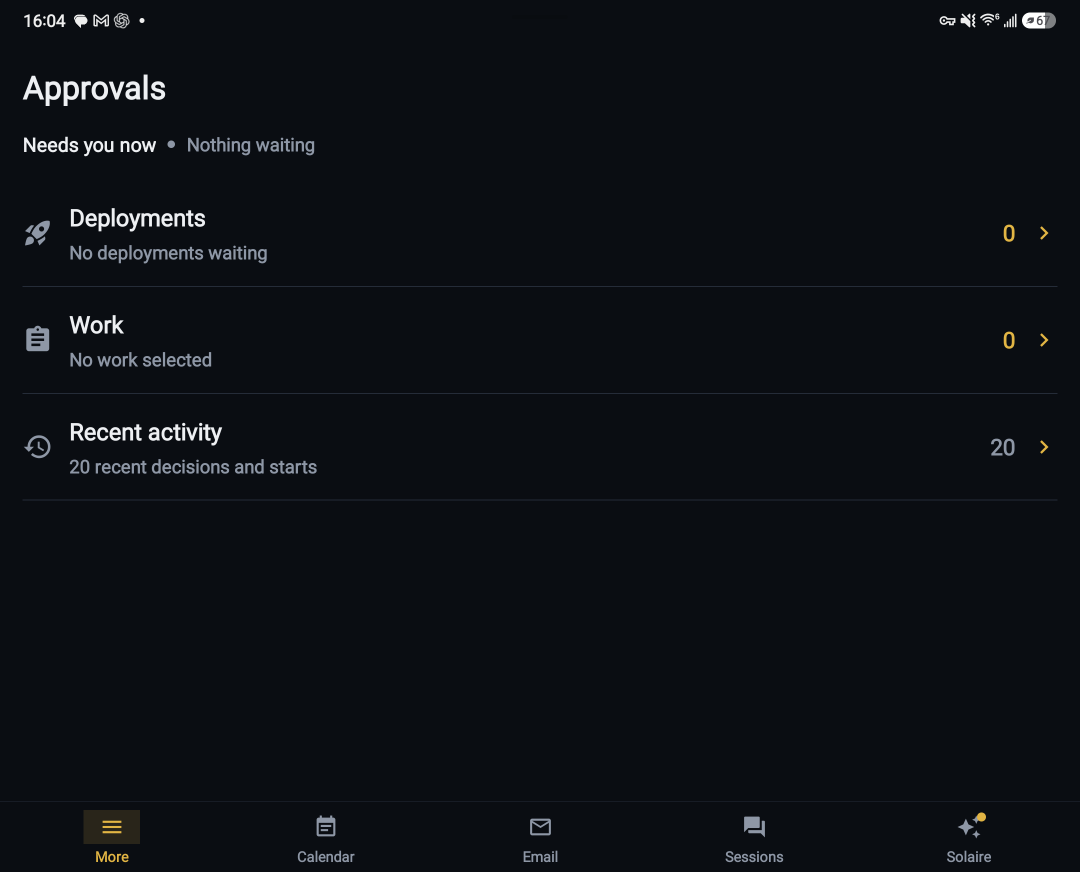
    • Deployment and work approvals in one Approvals screen

Real screens

Straight off the phone.

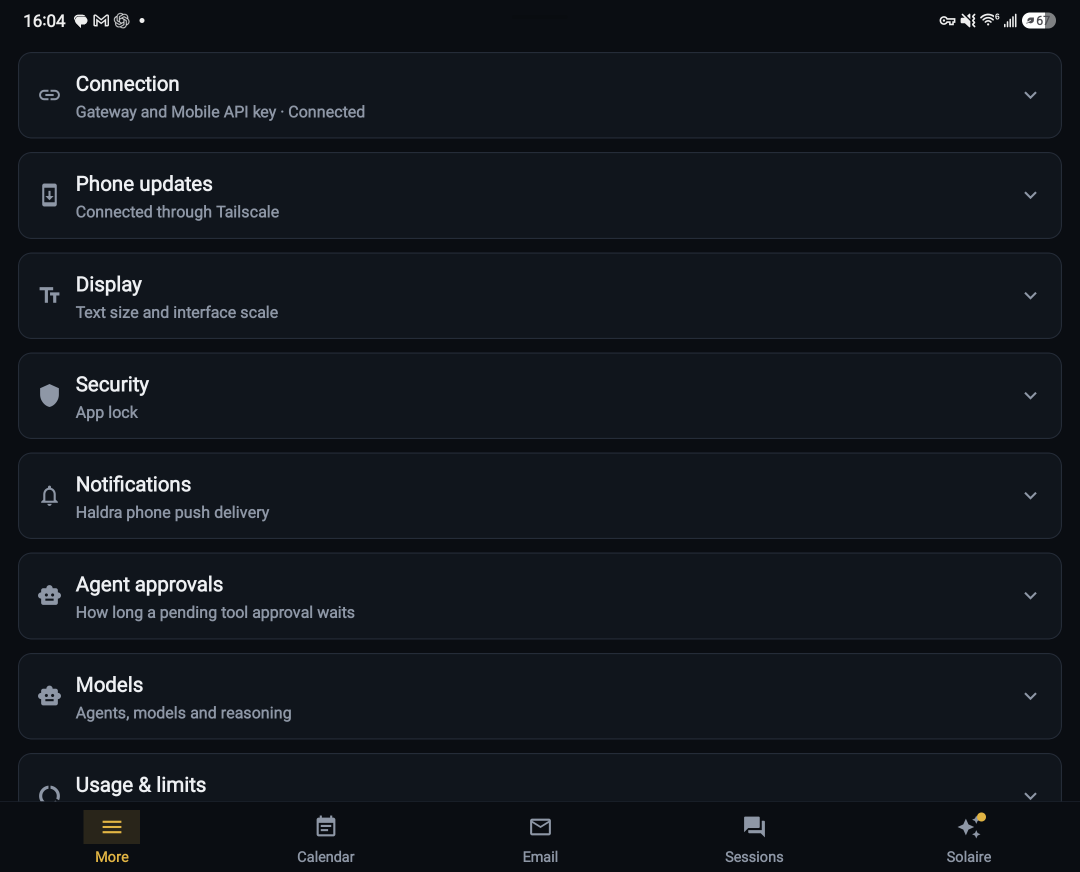
Captured today from my Galaxy Fold, unfolded, and cropped only to drop the Android navigation bar. A few screens stay off this page because they show private mail and notes.


How it’s built

Ordinary parts, assembled carefully.

Haldra is a small system rather than a single app. The database is the source of truth; everything else reads and writes through one API with one owner credential.

Changes to the system follow the same discipline as client work: work items record decisions, production deployments wait for an explicit approval on the phone, and secrets never live in source.

  • RecordsPostgreSQL with pgvector; versioned documents, memories and work items
  • APIPython service with one owner credential, reachable only over my private network
  • WorkerNative Windows worker for jobs, reminders, email sync and agent sessions
  • AgentsClaude Code and Codex, launched and steered by Solaire, each turn reported back
  • PhoneReact Native app for Android, laid out for the Fold’s inner screen with side-by-side panes
  • VoiceSolaire: live speech in, a custom voice out, hands-free
  • This siteStatic HTML and CSS on AWS S3 and CloudFront; no scripts, no analytics